Within the portal, you’ll see a list of all domains associated with your account displayed on the Dashboard. From here, you can update DNS records or change the nameservers as needed.
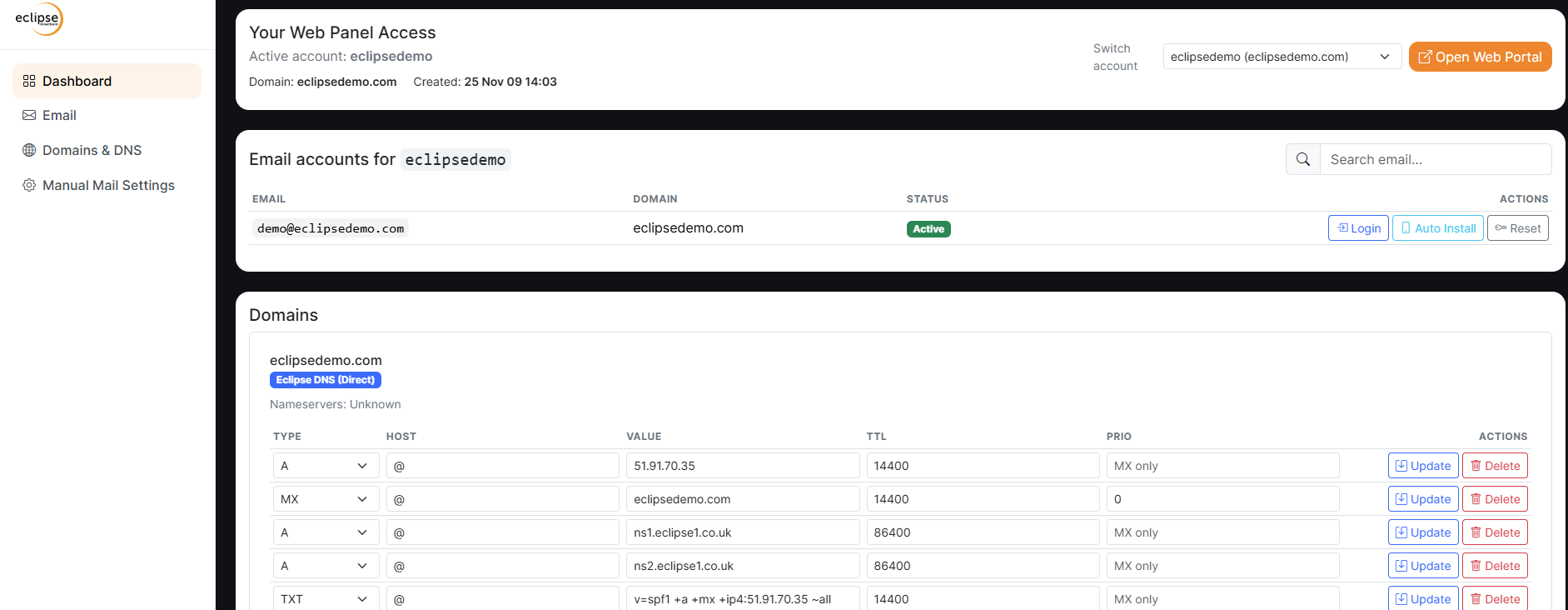
One important thing to remember is that DNS changes must be updated one line at a time. After adding or editing a record, be sure to click “Update” before moving on to the next entry.
As expected, DNS propagation begins immediately on our system, but it can take up to 48 hours for changes to fully update worldwide.