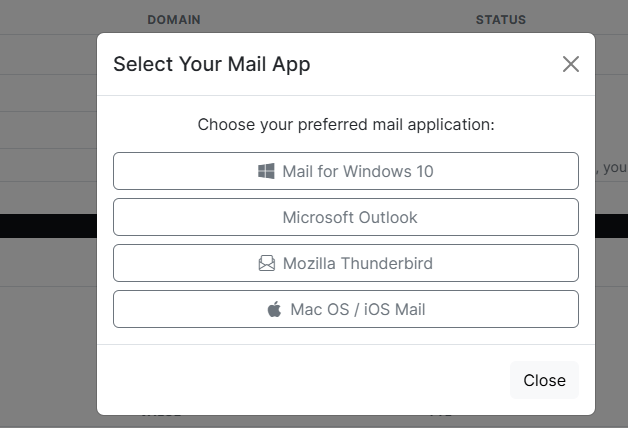
Within the My Eclipse Portal, we’re proud to offer a feature that allows you to add your email account directly to your device—whether it’s a phone, tablet, or laptop. You can also download the configuration profile for use with email applications such as Outlook or Thunderbird.
We’re assuming you’re already logged into the My Eclipse Portal. If you’re unsure how to do this, please refer to our login guide before continuing.
To get started, make sure you have selected the correct domain (if you have multiple) for the email address you wish to manage:
-
Click the “Switch Account” dropdown.
-
Select the domain you want to modify.
Do not click “Open Web Portal” — this isn’t needed for this process.

Next, in the Email Accounts section, simply click “Auto Install.”  A popup will appear where you can choose your device or software. Follow the on-screen instructions, and you’ll be guided through the setup process.